The three routes at a glance

Pick what fits the moment

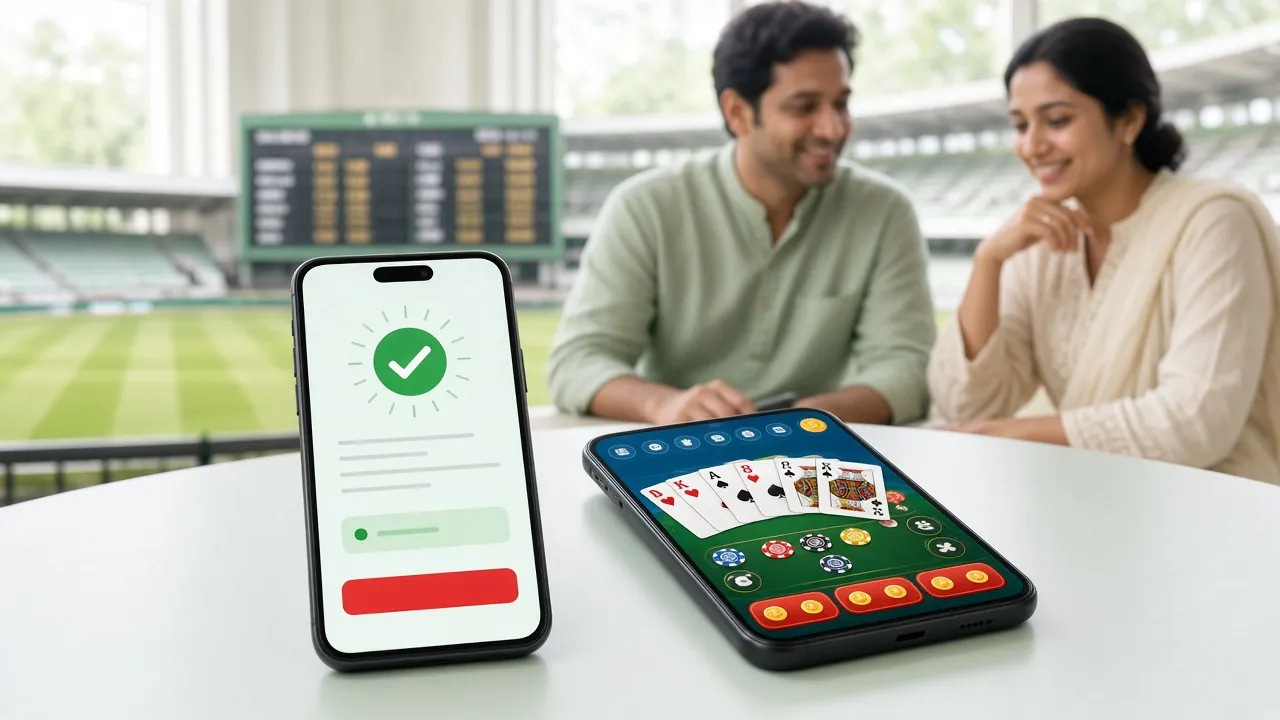
The table below puts the three ways into the same account side by side. Where there are figures, those are the app's own details; the rest describes what using it is like. On a phone, scroll the table left and right.

Android app, mobile browser and desktop browser compared
Item Android app (APK) Mobile browser Desktop browser
Install and version APK file ৩৬ MB, Android ৮.০ or newer, version ২.২.১৪ Nothing to install — log in on the site and play Just a browser, no file to download
Opening speed Tap the icon and you're straight in the lobby, and the login session lasts longer Depends on the browser and your network, usually a few seconds The first load takes time, then it's quick with the tab kept open
Data use The app itself is light, but with notifications on it uses data in the background Images and scripts download on every page load The heaviest of the three, with big images and live streams
Notifications and login Push notifications come through, no retyping the password Password or OTP every time, can be saved in the browser Password every time, but the session stays open longer
What you can play The full lobby: slots, live tables, crash and fishing Same lobby, same account, no game missing Same lobby, with tables and lists easier to read on a big screen
Deposits and withdrawals bKash, Nagad, Rocket, Upay and bank right inside the app Same methods, you may need to refresh the page Same methods, and receipts are easier to match across several tabs
Who it suits For those who play on the phone and want fast login For those who don't want an app or are short on phone space For those who play bigger amounts and want to keep track

Table details match app version ২.২.১৪; the file is ৩৬ MB and runs on Android ৮.০ and later. Browser speed depends on your internet connection.

766OK Android app: install once, then just tap

APK

This is the quickest route to playing on an Android phone, with the fewest steps. The file is free, 36 MB, and the latest version is 2.2.14, updated on 15 November 2026. Once the install finishes, the app opens the lobby by itself, so you never have to type the site address again.

  1. Download the APK file

    Download the file from the official APK download page. Before that, allow installs from unknown sources in your phone settings.

  2. Finish the install

    Open the downloaded file and it installs in a few seconds. On Android 8.0 or later you won't hit any snags.

  3. Log In

    Already have an account? Log in with your mobile number and password. New here? Register first, then come back to the app.

  4. Keep notifications on

    Allow them when the app asks after the first launch. That way, news of a match starting or a new offer lands on your phone.

What you get

  • Tap the icon and the lobby opens, no address to type each time
  • Push notifications for new offers and match starts, right as they happen
  • One login holds your session longer, so you can jump back in fast
  • Live tables and crash rounds animate smoothly

What to keep in mind

  • It's an install, and it needs 36 MB of phone storage
  • It won't run on older phones below Android 8.0
  • With notifications on, background data and battery use go up
  • Switch phones and you have to download the file and log in again

Who it's for: people who pick up their phone several times a day, don't want to miss a match or a round, and would rather not type a password over and over. If your phone runs Android 8.0 or above, this is the least hassle.

Mobile browser: the same lobby, no install

Web

If you'd rather not install anything on your phone, the browser is enough. Log in on the site and you get the same account, the same balance and the same game lobby as the app. Deposits and withdrawals work the same way too, you just have to visit the site each time.

What you get

  • Nothing to install, no storage or update hassle
  • Runs on any Android phone, in any browser
  • Open extra tabs to view your account and receipts side by side
  • New phone, nothing to download again

What to keep in mind

  • You have to log in every time you visit
  • Pages take time to load on a slow network
  • No push notifications like the app has
  • You have to zoom in to see the tables on a small screen

Who it's for: people short on phone storage, those who don't want an app on their work phone, or casual players who don't see why they need a separate app. On a weak network you can also run the browser in lite mode.

Desktop browser: easier to keep track on a big screen

Web

If you play bigger amounts at once or run several bets side by side, a large screen helps. Balance, bet list and transaction receipts are all in one view, and filling forms by keyboard is faster.

What you get

  • Live tables, balance and records together on a big screen
  • Easy to match up deposits and withdrawals across tabs
  • Keyboard entry makes forms faster and cuts mistakes
  • Your session lasts longer, so you don't keep logging in

What to keep in mind

  • Not always within reach the way your phone is
  • Eats more data to load, so a slow line feels the wait
  • On a shared computer, forgetting to log out leaves you exposed
  • Opened on mobile, the layout shrinks down

Who it suits: players who sit at a computer in the office or at home, keep several bets open at once, and want to match every transaction against the record. It is also handy for checking the figures before a large withdrawal.

Which route to take in which situation

Open an account

Go through the five situations below. Start with whichever fits you best. You can switch later and still keep the same account and balance.

  • New, and starting small

    Mobile browser or the app, whichever feels easier. You can start with a first deposit from ৳৩৫০, and the first deposit carries a ১৪৫% bonus up to ৳৬,০০০. The wagering has to be met ১৩ times over, so it pays to keep that first deposit small. In a browser your record stays clean with nothing to install.

  • You need both speed and updates

    The Android app. One tap on the icon and the lobby is there, and a notification tells you a new round has started. If you duck in for a minute or two during a busy day, check the play and head back out, this is the route that fits.

  • You will be withdrawing larger amounts

    Desktop browser. The daily withdrawal limit is ৳২০,০০০, and the minimum withdrawal is ৳১৩০০. On a big screen you can take in your balance, bonus status and past receipts together and check the figures, so there is less chance of an error.

  • Only a phone, and little free space

    Mobile browser. No ৩৬ MB file to keep, and clearing the browser cache gives the space back. Download the app later if you want; the account stays the same.

  • Slow network, 2G or 3G

    Keep browser use light, and cap the app's data. If you keep the app, turn notifications off and trim background data. Do the urgent jobs first (deposit, withdrawal) and leave the odds and markets for later.

Running on low memory and a slow network

A phone held in hand at a night market showing the 766OK app scoreboard and a live match on screen
An older phone can still keep up if you change a few settings step by step. No need to buy a new device.
  • Free up space first

    When phone storage is nearly full, the app slows down. Clear out photos you don't need and apps you don't use, and leave room for the ৩৬ MB file.

  • Stay on the latest version

    Older versions can take longer to load. When a new file comes, delete the old one and install version ২.২.১৪.

  • Close background apps

    Many apps open at once eat into RAM. Close the ones you don't need before you play: screens change faster and the battery lasts longer.

  • Switch on data saver

    With the browser's data saver on, or the app's background data off, pages respond faster even on a slow network. If images are slow to arrive, don't wait — read the text first.

Three ways to log in: what each one gives you

See the login page

The same account runs in the app and in the browser. Here is a breakdown of when each way helps.

Deposit and withdrawal routes: what each one needs

Withdrawal steps

The app and the browser run the same five methods. A deposit usually lands in your balance in 2 minutes, a withdrawal usually takes 32 minutes. Minimum deposit ৳350 and minimum withdrawal ৳1300.

  • bKash Deposit about 2 minutes · withdrawal usually 32 minutes

    Who it suits: people who transact on bKash all the time and deposit in small amounts.

    Watch out: the number you send from must already be added to your account. Minimum ৳350.

  • Nagad Deposit about 2 minutes · withdrawal usually 32 minutes

    Who it suits: people who open the Nagad app every day and want to see the balance fast.

    Watch out: never write your PIN down or tell it to anyone. Make sure the name and number match.

  • Rocket Deposit about 2 minutes · withdrawal usually 32 minutes

    Who it suits: people with an old Rocket account who like their transactions kept separate.

    Watch out: save the reference number — it helps support if something gets delayed.

  • Upay Deposit about 2 minutes · withdrawal usually 32 minutes

    Who it suits: people who are comfortable depositing small amounts through Upay.

    Watch out: the daily withdrawal cap is ৳20,000, so split big amounts across days.

  • Bank Transfer Deposit about 2 minutes · withdrawal usually 32 minutes

    Who it suits: people who play bigger amounts and want their money sitting in a bank account.

    Watch out: before your first withdrawal you have to send documents — national ID, passport or driving licence — and checks can take up to 24 hours.

Which route to deposit with: the app takes one step less, because it remembers your last method. On the browser it works the same, you just come back and refresh the balance. The first withdrawal can take up to 6 hours while the account is matched; after that it's usually done in 32 minutes.

Five habits that keep the account safe

App or browser, account security comes down to your own habits. Do these five things regularly and you skip most of the hassle.

  • Use a strong password

    Go for a mixed password of at least eight characters, with capital letters and numbers in it. Don't reuse a password from another site, and never your name or date of birth.

  • Don't share your phone or computer

    Let a friend or relative play on the same device and the app's saved session stays open. Separate accounts on separate devices is the safer setup.

  • Be careful with unknown links

    Don't tap a link in an SMS, message or ad and type your password there. Get to the site by typing the address yourself or from a bookmark.

  • Log out when you're done

    Always log out after playing on a shared computer or at a cyber café, and close the browser too. On your own phone you can leave the app session open.

  • Keep your mobile number linked

    With an active number on the account you get login codes and important updates. If your number changes, update it first, not later.

What people ask most about the app and the website

Is the account separate on the app and the website?

No. The same number and password get you into both, and there's one balance. Money you deposit in the app shows up when you open the browser, and rounds played in the browser appear in the app too.

How big is the 766OK APK, and which Android versions run it?

The file is 36 MB and free. It runs on Android 8.0 and later, and the latest version is 2.2.14. If an older phone is short on space, clear out unwanted files first — otherwise the install can stall. The steps are written out on the APK page.

Does anything stay closed if I play in the browser?

No. Slots, live tables, crash and fishing all run in the browser. The difference is only convenience: tables are easier to read on a big screen, and app notifications reach your phone sooner.

Which one is better on a slow network or low data?

A browser usually feels lighter because only what you need gets loaded. If you keep the app, switch notifications off and cut background data. Finish deposits or withdrawals first, then browse the games.

How long does the first withdrawal take, and which documents do I need?

The first withdrawal goes through document checks, so it can take up to ৬ hours. After that it is usually ৩২ minutes. Any one of a national ID card, passport or driving licence is enough. Minimum withdrawal is ৳১৩০০, daily limit ৳২০,০০০.

Can I get the bonus without installing the app?

Yes, you can. The first deposit gets a ১৪৫% bonus up to ৳৬,০০০, and later deposits get a ১৪% reload bonus. Same conditions: you have to clear ১৩x turnover, minimum deposit ৳৩৫০. Register from the browser and the bonus is added under the same rules.

Start today on whichever route you picked

New here? Register and open an account, then install the app on your phone. Once the account is open you get the same balance and the same lobby in both the app and the browser. Deposits start from ৳৩৫০, and the first deposit gets a ১৪৫% bonus up to ৳৬,০০০.

18+ · Play Responsibly